
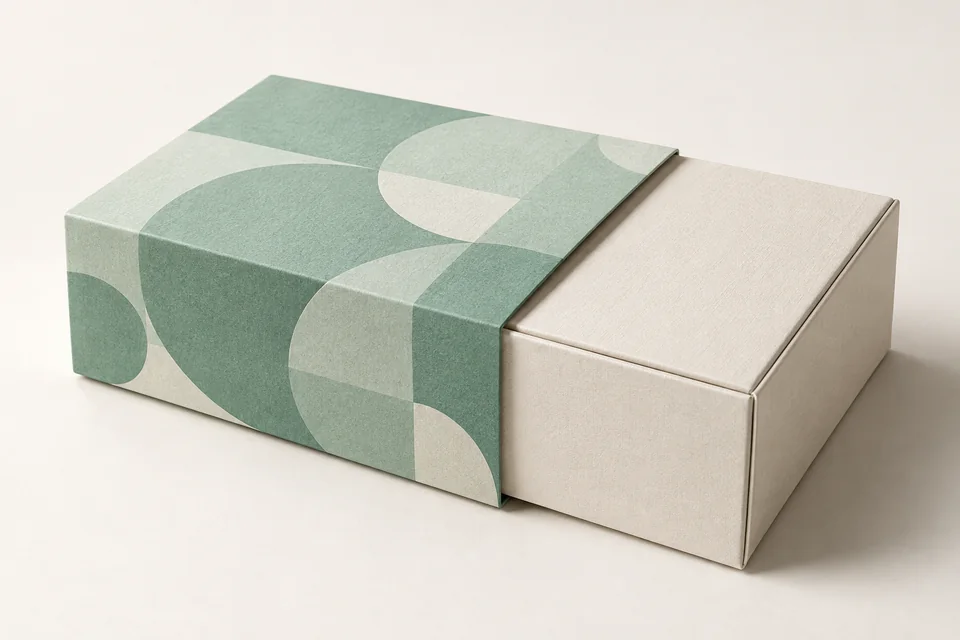
Sleeve is a belt or paper shirt that wraps around the box. With seasonal campaigns, businesses can change the belt to change the message and keep the background box. Need to check fit, installation and order quantity separately for each version.
Separate long-term and campaign content
Keep permanent identification on the base box; Bring event-based content to the belt when appropriate. Mandatory information must be arranged properly and not be lost when the user removes the belt.
Browse the belt on the finished box
Test on the printed and finished box. The belt is too tight and difficult to install, easily rubbing the box surface; Too wide and can slip. Check both the opening and loading of the belted box into the delivery box.
| Factor | Check |
|---|---|
| Materials | The folds keep their shape and do not crack clearly |
| Joint | Does not prevent sliding, position has little effect on appearance |
| Assembly | Time, wrong version error and corrective action |
Calculate the amount ordered by campaign
Calculate the amount of belts according to each campaign and period of use. Write down the version code so the warehouse doesn't mistakenly issue the old model. Shared base boxes do not eliminate the risk of seasonal belts.
For two events using the same box, compare the cost of the base box and two sets of belts with the separate printing option. Add up the installation and packaging costs to see the actual difference.
Avoid adding a class that has no duties
The belt should have a clear benefit in terms of messaging, recognition or inventory management. If just adding layers doesn't support any goals, consider a simpler option.
Can the sleeve be reused?
Removing the belt is not enough to confirm that it can be reused. Need to consider the material, opening method and recipient's needs.
Send SquareBag the background box, campaign calendar and content that needs to be replaced to test out the paper belt sample.
Explore Design and publishing or Exchange specifications with SquareBag.
See Packaging Design group